



- Updated: 20 Aug, 2026
- By Sergei Ivanov
Almost half of all Google searches have local intent - someone is looking for a service or shop near them, not general information. For those searchers, Google Maps results and the “local pack” are often the first place a decision gets made, long before anyone reaches a website. If your business’s Google profile is incomplete, unverified, or has incorrect information, you lose those customers before they even reach you.
This guide walks through the whole process - from creating and verifying a profile to optimization, review management, and measuring results.
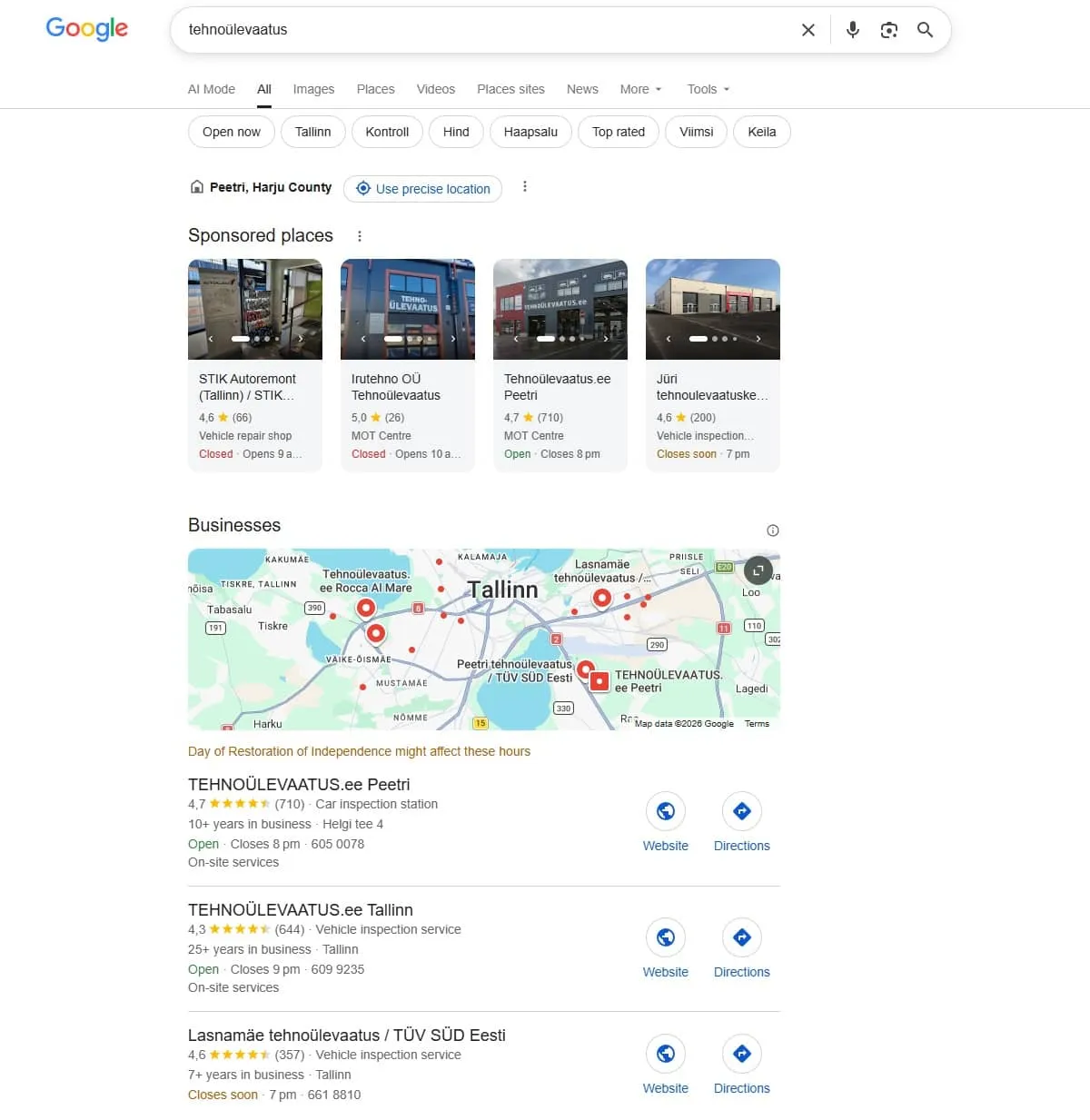
A search for “tehnoülevaatus” in the Tallinn area: sponsored places and the local pack take up most of the first screenful, before organic results even begin.
What is a Google Business Profile?
A Google Business Profile (formerly known as Google My Business, or GMB) is a free tool that displays your business’s information directly in Google’s search results and Google Maps: name, address, phone number, opening hours, photos, and reviews. It’s effectively your digital business card, appearing without the user ever having to visit your website.
The profile suits businesses that interact with customers face-to-face - shops, service businesses, restaurants, clinics - or that have a defined service area. Purely online businesses (with no physical location or service area) don’t qualify.
How to create or claim your profile
1. Check whether a profile already exists. Search for your business name on Google Maps. Google sometimes creates profiles automatically from other data sources, without the business owner ever setting one up - this is one of the most common reasons duplicate profiles appear later.
2. If a profile already exists but is unverified: select it from the search results and click “Is this your business?” or “Claim this business.” If the profile is already owned by someone else (e.g. a former employee or an agency that no longer manages it), you’ll need to request an ownership transfer - a separate process that can take a couple of weeks.
3. If there’s no profile yet: go to business.google.com and create one from scratch. Use a separate Google account for managing the business (not your personal Gmail), so management access stays clear even when the person managing the profile changes.
4. Enter accurate information: your official business name (without added marketing text, see below), exact address, phone number, and category. The address needs to match Google’s address guidelines - an incorrect or imprecise address is one of the main reasons verification fails.
Verifying your profile
Without verification, your business information isn’t shown on Maps or in search results - this is the one step that, if skipped, makes all the rest of the work pointless. Common verification methods:
- Phone call or SMS - the fastest option, instant verification.
- Postcard - Google mails a postcard with a verification code to your business address, usually within 1-3 weeks.
- Email - available in some cases, also fast.
- Video - Google may sometimes ask for a video recording of the physical location.
New profiles can take up to a month to be fully indexed in Google search even after verification - don’t worry if the result isn’t immediate.
What actually affects visibility
Most guides stop at recommending photos and reviews. In reality, local search ranking depends on more specific factors:
NAP consistency (Name, Address, Phone). Your business name, address, and phone number need to be identical, word for word, everywhere - on your Google profile, your website, directories (e.g. the Estonian business registry, 1182.ee, Teatmik.ee), and social media. Even a small difference (e.g. “LLC” in one place and not another, or a different abbreviation of a street name) can look like suspicious information to Google and weakens trust in the profile.
Correct categories. Choose the most precise primary category possible and add relevant secondary categories. An incorrect or overly generic category (e.g. “Business” instead of “Dental Clinic”) is one of the most common, but easily fixed, mistakes.
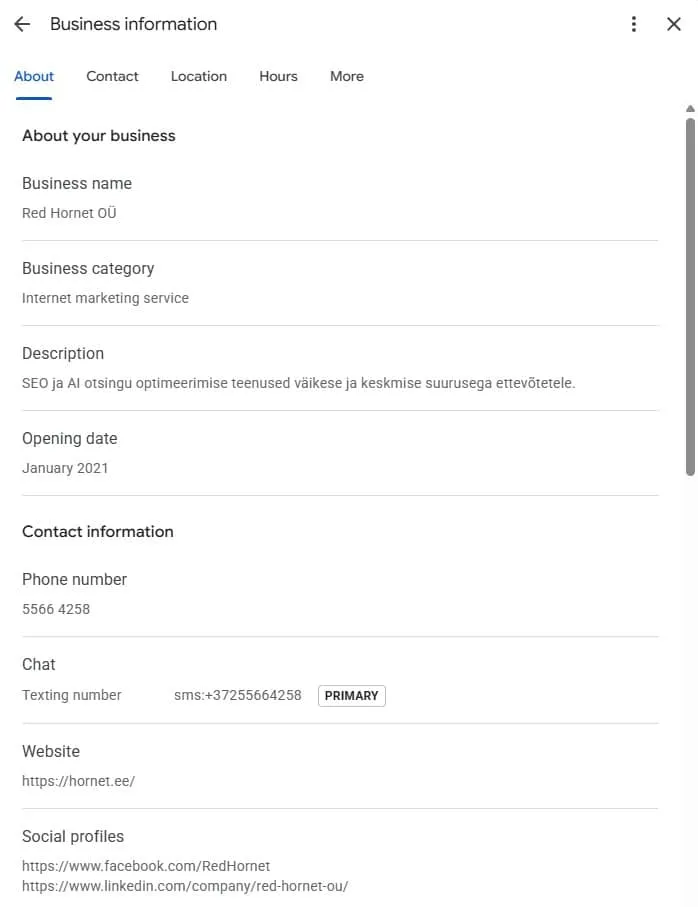
In the profile management interface (“Business information”), you set the business name, category, and description - these fields are effectively the first signals Google uses to decide which searches to show your profile for.
A business name without added keywords. Google’s guidelines explicitly prohibit adding keywords to the business name field (e.g. “Red Hornet LLC - the best SEO agency in Tallinn”). This violates the rules and can get your profile suspended, rather than ranked better.
Regular activity. Google’s algorithm favors profiles that are actively managed: new photos, answered reviews, up-to-date information. A profile that’s months old and unchanged gradually loses visibility compared to more active competitors.
Posts and Q&A - often forgotten tools
Most businesses fill out the profile and forget that Google Business Profile also offers ongoing content tools:
- Posts - short updates, offers, or events shown directly on the profile. They work similarly to social media posts and signal activity to Google.
- Questions and Answers (Q&A) - users can ask questions directly on the profile. It’s worth preparing for and answering common questions yourself (e.g. parking, accessibility) before someone else gives an inaccurate answer.
- Attributes - specific details like “wheelchair accessible entrance,” “free WiFi,” or “reservation required.” These help the profile match more specific searches.
Managing reviews - including negative ones
Reviews affect both a customer’s decision and Google’s assessment of the profile’s trustworthiness. Respond to all reviews, including negative ones:
- Respond calmly and specifically, without being defensive.
- Offer a solution or explanation, not a generic apology.
- Don’t buy reviews or offer compensation for them - Google detects unnatural review patterns, which can get your profile penalized.
A thoughtful response to a negative review often comes across as more trustworthy to a potential customer than only positive reviews.
Statistics worth tracking
In the profile management interface (Insights/Performance), you can see how customers find you: whether they find you through search or Maps, with which keywords, and what they do on the profile - call, request directions, or open your website. This gives real information about whether the profile is doing its job, and helps prioritize where to invest next.
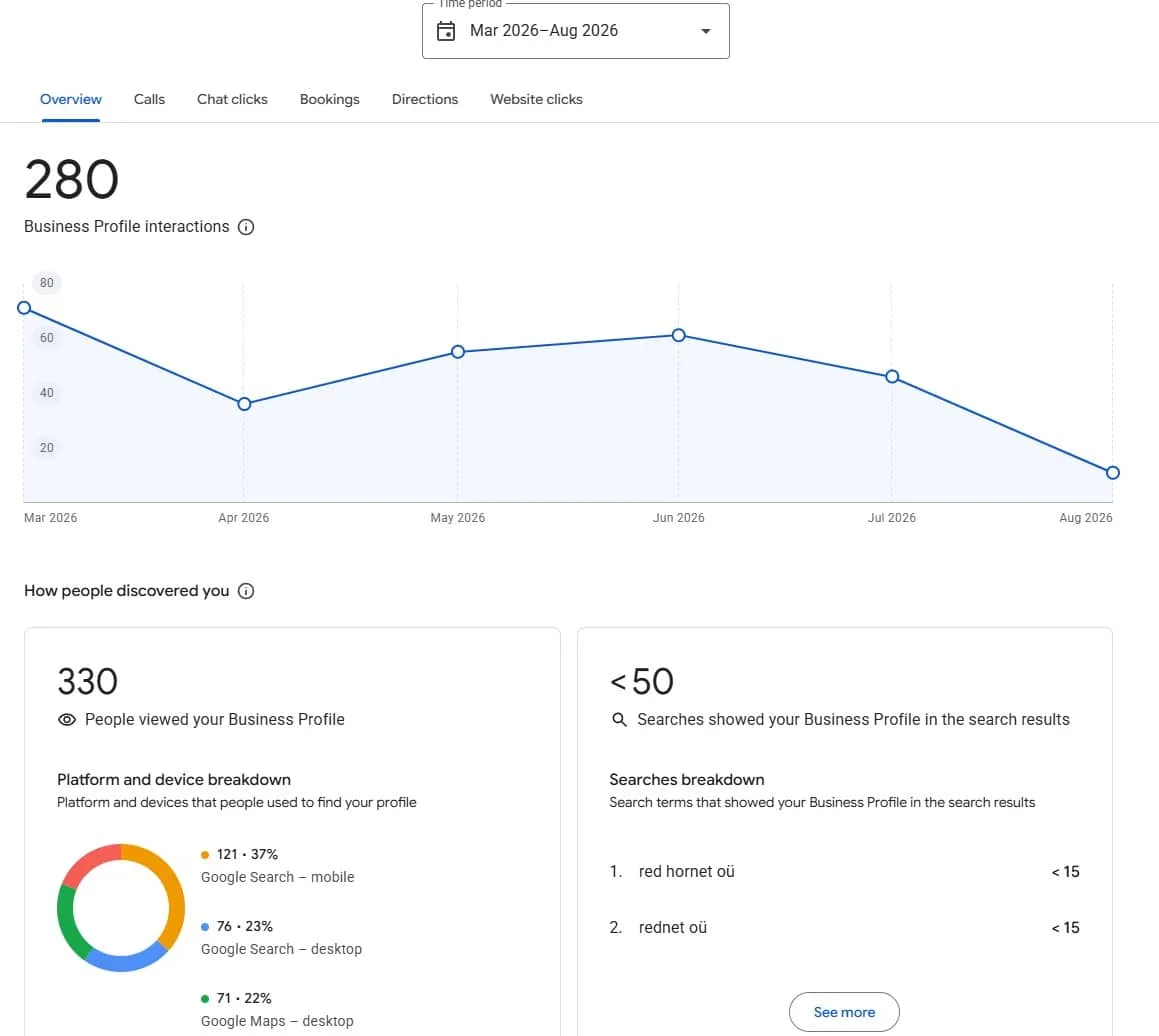
The Performance view shows not just numbers, but the specific search terms that brought your profile in front of users - useful proof of which queries already find you, and where there’s still room to grow.
Common mistakes
- Duplicate profiles - usually created by automatically generated listings. Every duplicate profile needs to be claimed and the extras deleted, or your trust signal gets split across multiple listings.
- NAP inconsistency between different platforms (see above).
- Outdated opening hours - especially around public holidays, which frustrates potential customers and creates a negative experience.
- Managing the profile with a personal Google account, which makes handing over access complicated when staff changes.
How the profile and website work together
A Google profile doesn’t replace a website - they complement each other. On the website, it’s worth using LocalBusiness structured data (schema markup), which confirms the same information to search engines that’s on the profile (name, address, opening hours), and creating separate location pages if the business has multiple locations. This double signal - a profile and a website that confirm each other - is one of the strongest trust signals you can give local SEO.
Frequently asked questions
Is a Google Business Profile really free? Yes. Creating and managing the profile is completely free. The only paid part is if you choose to use Google Ads advertising alongside the profile.
How long does profile verification take? By phone or SMS, a few minutes; by postcard, usually 1-3 weeks.
Why isn’t my business showing up in Google search, even though the profile exists? Common reasons are an unverified profile, wrong category, NAP inconsistency, or simply a profile that’s too new and inactive and needs more time and activity.
Do I need a separate profile for each location if I have multiple? Yes, every physical location needs its own separately verified profile.
Summary
A Google Business Profile is free, but getting the most out of it takes more than a one-time setup - consistent information, regular activity, and thoughtful review management. If you want to know how your current profile and website are performing together in local search, order a free SEO audit - we’ll review both the technical side and local visibility.